
Screenshots
App details
- Updated
- Aug 18, 2023
- Category
- Mobile
SoftPas in:
This product is also available in the following languages:
About SD Card Formatter
Download SD Card Formatter – SD card formatter, format SD card, SD card utility, memory card tool, SDHC, SDXC, SD card repair, SD card optimization, secure erase, format memory card
Overview
SD Card Formatter is a lightweight utility designed to simplify the process of formatting SD, SDHC, and SDXC memory cards. The application enables users to securely erase all data from their memory cards with minimal effort, making it ideal for those seeking to reclaim storage space or reset their cards for reuse. Its primary purpose is to provide a reliable and efficient method for formatting memory cards without compromising the integrity of the protected area, which is critical for maintaining card functionality across devices.
Target users include photographers, videographers, smartphone users, and anyone who regularly manages digital content on removable storage. The app is particularly useful when preparing a memory card for a new device, recovering performance after heavy usage, or ensuring data privacy before selling or recycling a card. By offering a one-click format option, it eliminates the need for complex system tools or third-party software.
Although the developer did not provide additional technical details about the development background, the tool’s focus on compatibility with standard memory card types suggests adherence to industry specifications. The app operates as a desktop utility, meaning it is intended for use on Windows systems rather than mobile devices. It plays a valuable role in the digital workflow ecosystem by offering a dedicated, secure, and fast solution for memory card management.
Key Features & Functionality
- One-click formatting – Users can initiate a full format with a single click after connecting the SD card to a Windows PC, streamlining the process for non-technical users.
- Support for SD, SDHC, and SDXC – The tool is compatible with all major SD card types, ensuring broad usability across different devices and storage capacities.
- Protected area preservation – During formatting, the app safeguards the standard-protected area of the card, which stores critical firmware and configuration data, preventing potential card failure.
- Secure data erasure – The format process removes all user data quickly and effectively, making it suitable for privacy-conscious users who want to prevent data recovery.
- Performance optimization – Reformatting can help restore stability and speed to memory cards that have become sluggish due to fragmentation or excessive file writes.
For example, a photographer preparing for a new shoot can use the tool to clear a full SD card and reset it for optimal performance. Similarly, a smartphone user experiencing storage errors may use it to resolve recurring issues after a full card backup. The tool’s simplicity ensures that even beginners can perform advanced memory card maintenance tasks safely.
Interface, UX & Performance
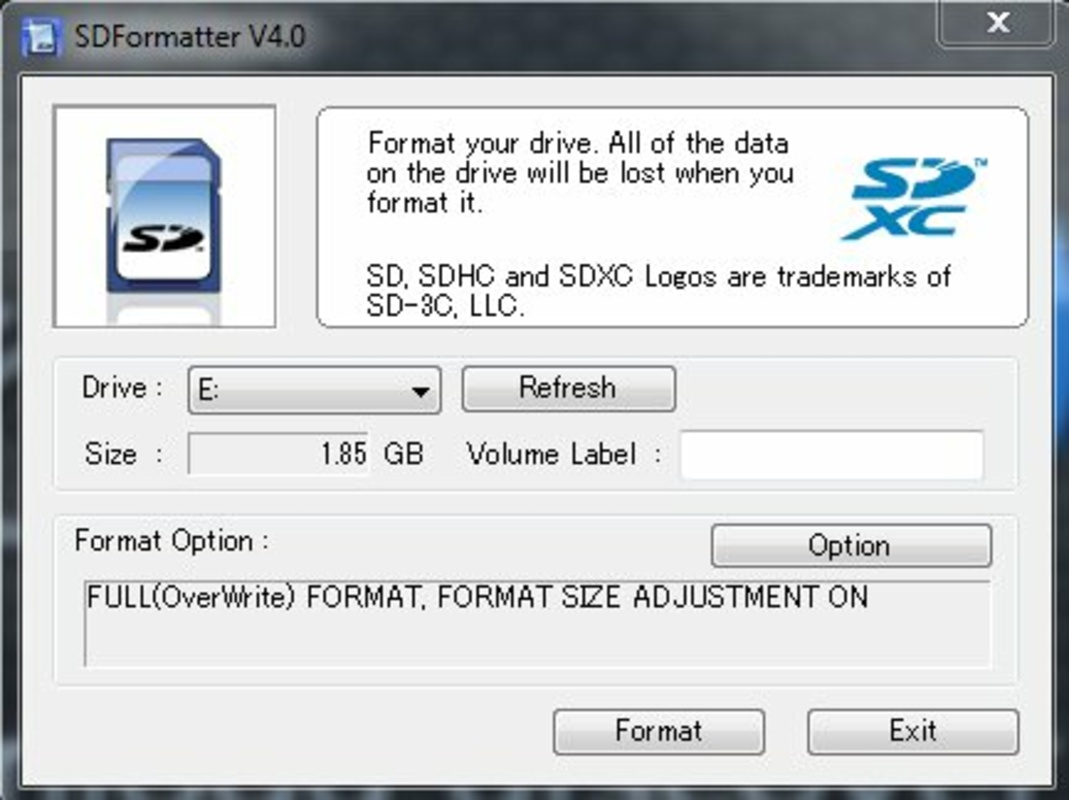
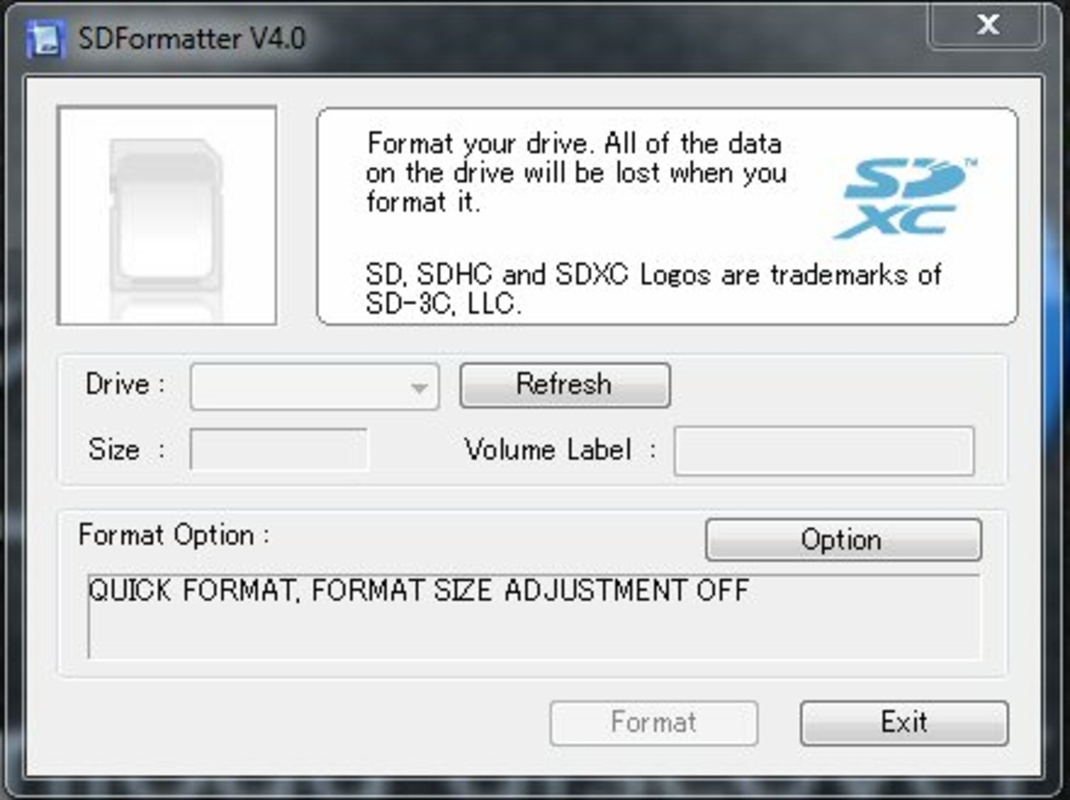
SD Card Formatter features a minimalistic interface focused on functionality rather than visual flair. The layout is straightforward, with a central “Format” button and clear identification of the connected SD card. Navigation is intuitive, requiring no learning curve, which enhances accessibility for users of all experience levels.
Although the developer did not list formal performance metrics, the app’s small file size of 2.3 MB suggests efficient resource usage. The tool launches quickly and completes formatting tasks in seconds, indicating strong responsiveness. It operates without background processes or system interruptions, contributing to overall stability.
Performance across different device categories remains consistent, as the application relies on standard Windows drivers and file system protocols. It does not require high-end hardware, making it suitable for older or low-spec systems. The lack of telemetry or ads further supports a clean user experience. However, specific requirements for device compatibility were not listed.
Platform Compatibility & Technical Requirements
SD Card Formatter is designed exclusively for the Windows platform, ensuring compatibility with a wide range of desktop and laptop systems running Windows operating systems. The application is available in version 1.0.0 and has a file size of 2.3 MB, making it lightweight and easy to download and install.
The developer did not specify minimum OS requirements, nor did they list support for alternative platforms such as macOS or Linux. As such, users on non-Windows systems will need to seek alternative solutions. The tool is intended for desktop use and does not function on mobile devices.
Given its small footprint and straightforward design, the app is likely to run on most modern Windows installations. However, without formal system requirements, users are advised to verify compatibility with their specific setup before installation.
Pros and Cons
Pros
- Free to download and use with no hidden costs
- Supports all standard SD card types: SD, SDHC, and SDXC
- Preserves the protected area of the card, ensuring long-term functionality
- Simple, one-click interface ideal for beginners
- Lightweight and fast, with minimal system impact
Cons
- Platform limited to Windows; no support for macOS or Linux
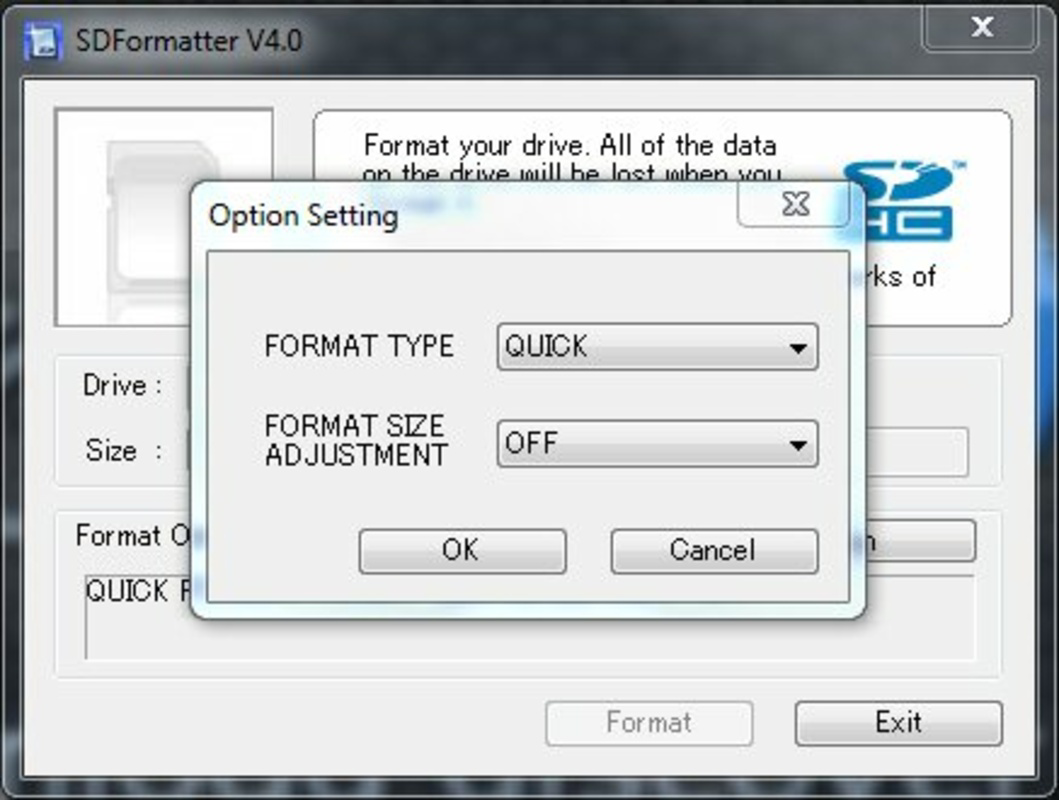
- Does not offer advanced formatting options like quick vs. full format
- Developer did not provide detailed technical documentation
- Compatibility information was not fully disclosed
- Not available as a mobile app for on-the-go use
FAQ
Is SD Card Formatter safe to use?
Yes, the tool is designed to erase user data while preserving the protected area of the SD card, which maintains its functionality across devices. It is recommended for secure data removal.
Can I use this tool on any SD card?
It supports SD, SDHC, and SDXC cards. However, compatibility may depend on the card’s physical condition and the host system’s drivers.
Does SD Card Formatter work on macOS or Linux?
Currently, the app is only available for Windows. No versions for macOS or Linux have been released.
Do I need to install anything to use it?
No installation is required. The tool runs directly from the downloaded file, making it portable and easy to use.
How long does the formatting process take?
Formatting typically completes in seconds, depending on the card’s capacity and system performance. The app is optimized for speed and efficiency.
Final Thoughts
SD Card Formatter delivers a focused, reliable solution for users needing to format SD cards quickly and securely. Its ability to preserve critical card data while erasing user content makes it a trustworthy tool in the digital workflow. The minimal interface, combined with broad compatibility across SD card types, ensures accessibility for both casual users and professionals.
While limited to Windows and lacking advanced options, its simplicity and zero cost make it a compelling choice for anyone managing memory cards. Whether you're resetting a card for a new project or preparing it for resale, this utility provides peace of mind and efficiency.
Download SD Card Formatter now
Guides & Tutorials
How to install SD Card Formatter
- Click the Download button above.
- Once redirected, accept the terms and click Install.
- Wait for the SD Card Formatter download to finish on your device.
How to use SD Card Formatter
This software is primarily used for its core features described above. Open the app after installation to explore its capabilities.
User Reviews
No reviews yet. Be the first to share your experience.
You may also like
more
Que no te pillen¡
About !Que no te pillen¡Reviewed by Jason A. BilbreyShow MoreShow Less

3D Combat Zone
About 3D Combat ZoneOriginally released in 1983, 3D Combat Zone immerses players...

666: El día del portal
About 666: El día del portalOn June 6, 2006, Agent P. Stone uncovers a sinister...

80 in 1 Best Flash games
About 80 in 1 Best Flash games 80 in 1 Best Flash games is a collection of 80 fl...

ABYSS SEEKERーーWhat Do You See Deep in The Abyss
About ABYSS SEEKERーーWhat Do You See Deep in The AbyssIn ABYSS SEEKER, players...

ACA NEOGEO THE KING OF FIGHTERS 2002 for Windows
About ACA NEOGEO THE KING OF FIGHTERS 2002 for WindowsTHE KING OF FIGHTERS 2002,...